Black Friday Stockouts on Shopify: How to Recover Every Lost Sale in 2026
Selling out on Black Friday feels like a win, until you count the shoppers who left empty-handed. Here is the playbook for capturing that demand and turning it into revenue after you restock.
Key takeaways
- A sold-out product page on Black Friday still receives traffic. Without a signup form, every one of those visits is lost demand.
- A back-in-stock waitlist turns sold-out traffic into a list of high-intent shoppers you can email the moment you restock.
- Price-drop alerts do the same for in-stock products that shoppers are watching but not yet buying.
- Set alerts up at variant level before Black Friday (27 November 2026) so you capture demand from the first hour of the sale.
- Restock Alert handles both alert types with one Shopify widget, free for the first 50 alerts.
On this page
- Why stockouts hurt more on Black Friday
- Where the revenue actually goes
- The Black Friday stockout recovery playbook
- Do not forget the products that are still in stock
- How Restock Alert handles Black Friday stockouts
- After the weekend: turn the waitlist into December revenue
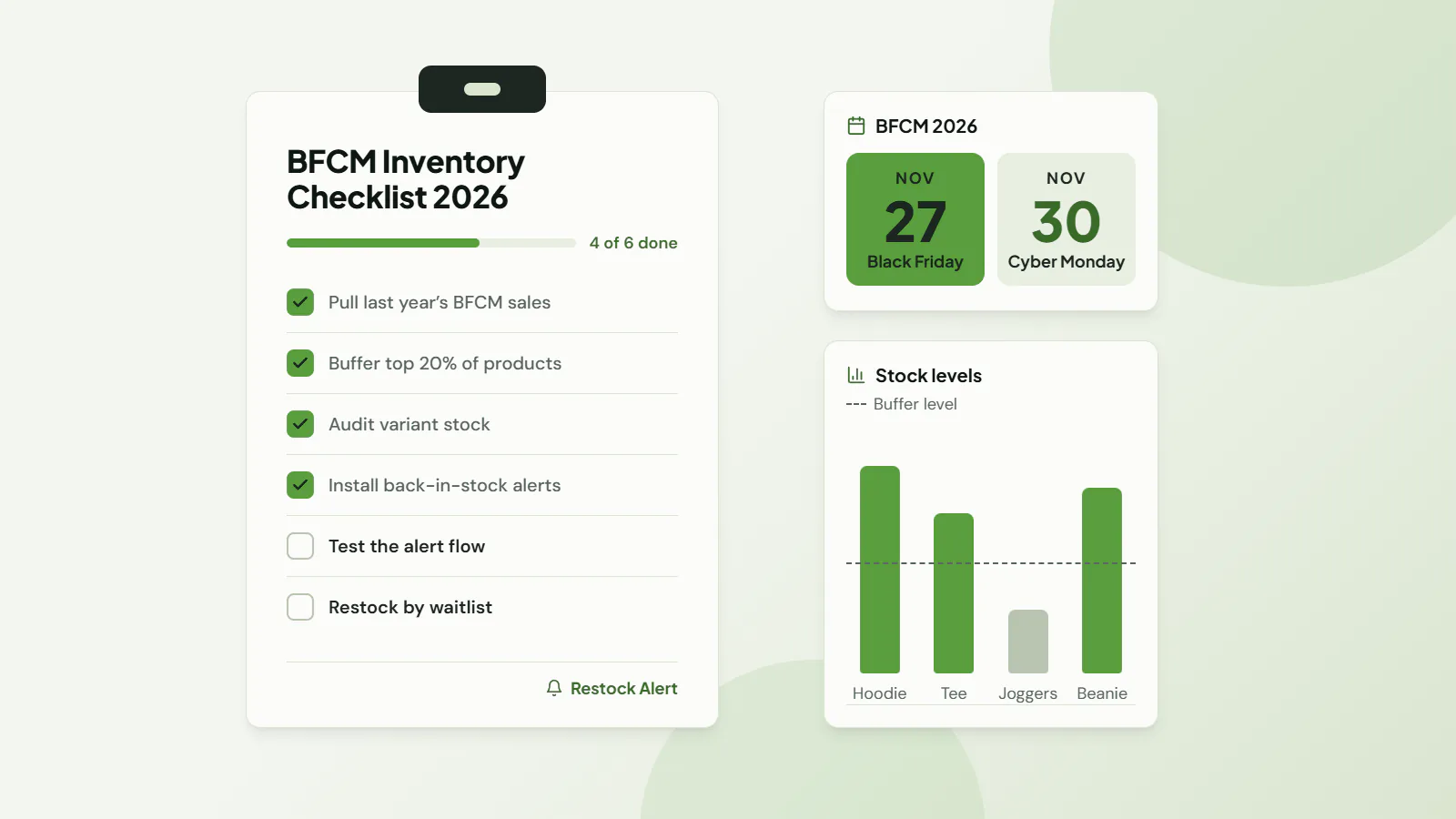
- Your five-minute pre-Black Friday checklist
Black Friday 2026 lands on Friday 27 November, with Cyber Monday on 30 November. For most Shopify stores this is the highest-traffic weekend of the year, and it is also the weekend when your best sellers are most likely to sell out. A sold-out product looks like success on the inventory report. On the storefront, it is a dead end.
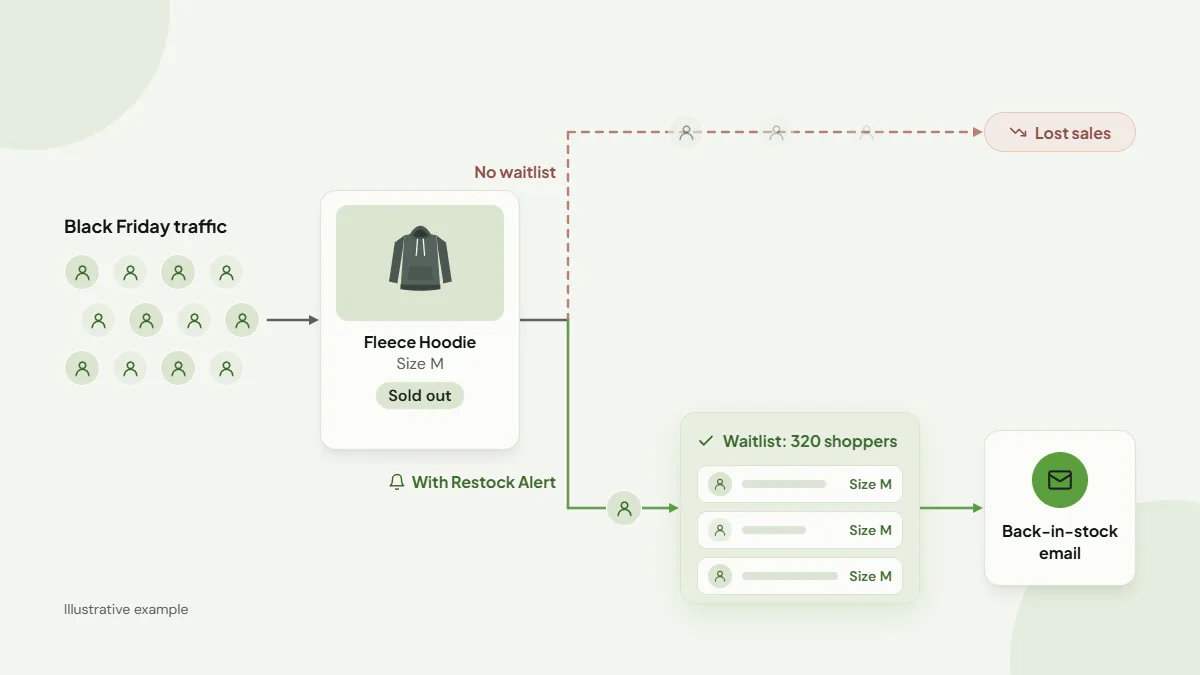
A shopper clicks your ad, lands on the product page, picks a size and sees Sold out. With no way to say "tell me when it is back", most of them leave and buy from someone else. You paid for that click, you earned that intent, and you lost the sale. This guide shows you how to stop that leak and recover the revenue after you restock.
Why stockouts hurt more on Black Friday
Running out of stock in a quiet week costs you a handful of orders. Running out during BFCM costs you far more, for three reasons.
- Traffic peaks at the same moment stock runs lowest. Your best sellers sell out first, and they are the products your ads, emails and influencer posts point to.
- Paid traffic keeps flowing to sold-out pages. Unless you pause campaigns product by product, you keep paying for clicks that cannot convert.
- Shoppers have options. During a sale weekend, competitors are one tab away. A shopper who cannot buy from you will not wait around unless you give them a reason to.
The good news is that a shopper who lands on a sold-out page during Black Friday is one of the most valuable people on your site. They found the product, chose a variant and tried to buy it. If you capture their email at that moment, you have a warm, opted-in lead for the exact item they want.
Where the revenue actually goes
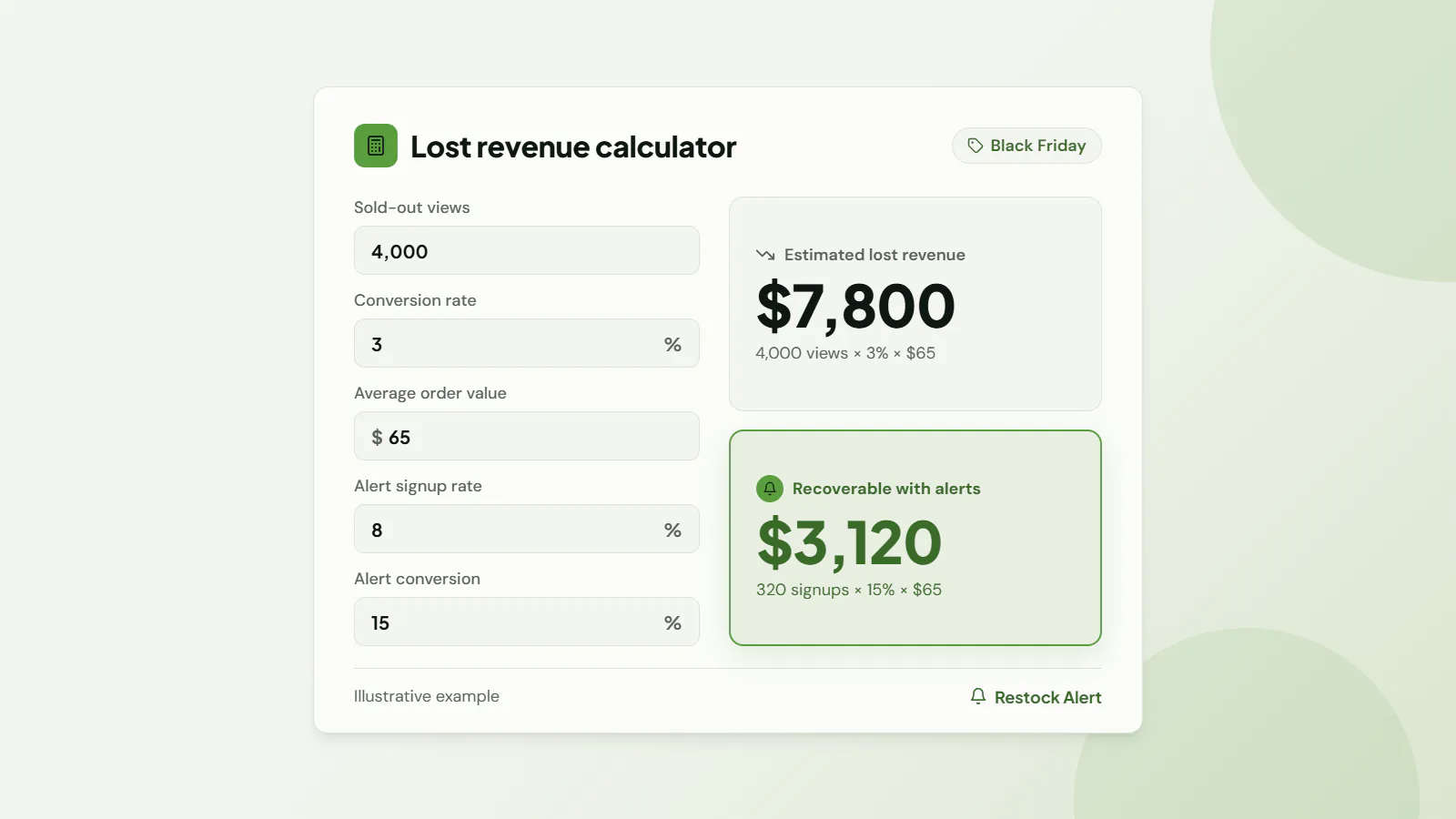
Lost revenue from stockouts is hard to see because it never shows up in Shopify analytics as a failed order. It shows up as sessions on a product page with no add-to-cart. To size it, you need three numbers: how many people viewed sold-out variants, your normal conversion rate for that product, and your average order value.
For a full walkthrough with a working calculator, read what sold-out products really cost you on Black Friday. The short version: even a modest store can leave thousands of dollars on the table over a single weekend, and almost all of it is recoverable if you capture the shopper's email.
The Black Friday stockout recovery playbook
Recovering stockout revenue comes down to four steps. Each one is simple. The value comes from having all four running before the sale starts.
1. Capture demand on every sold-out variant
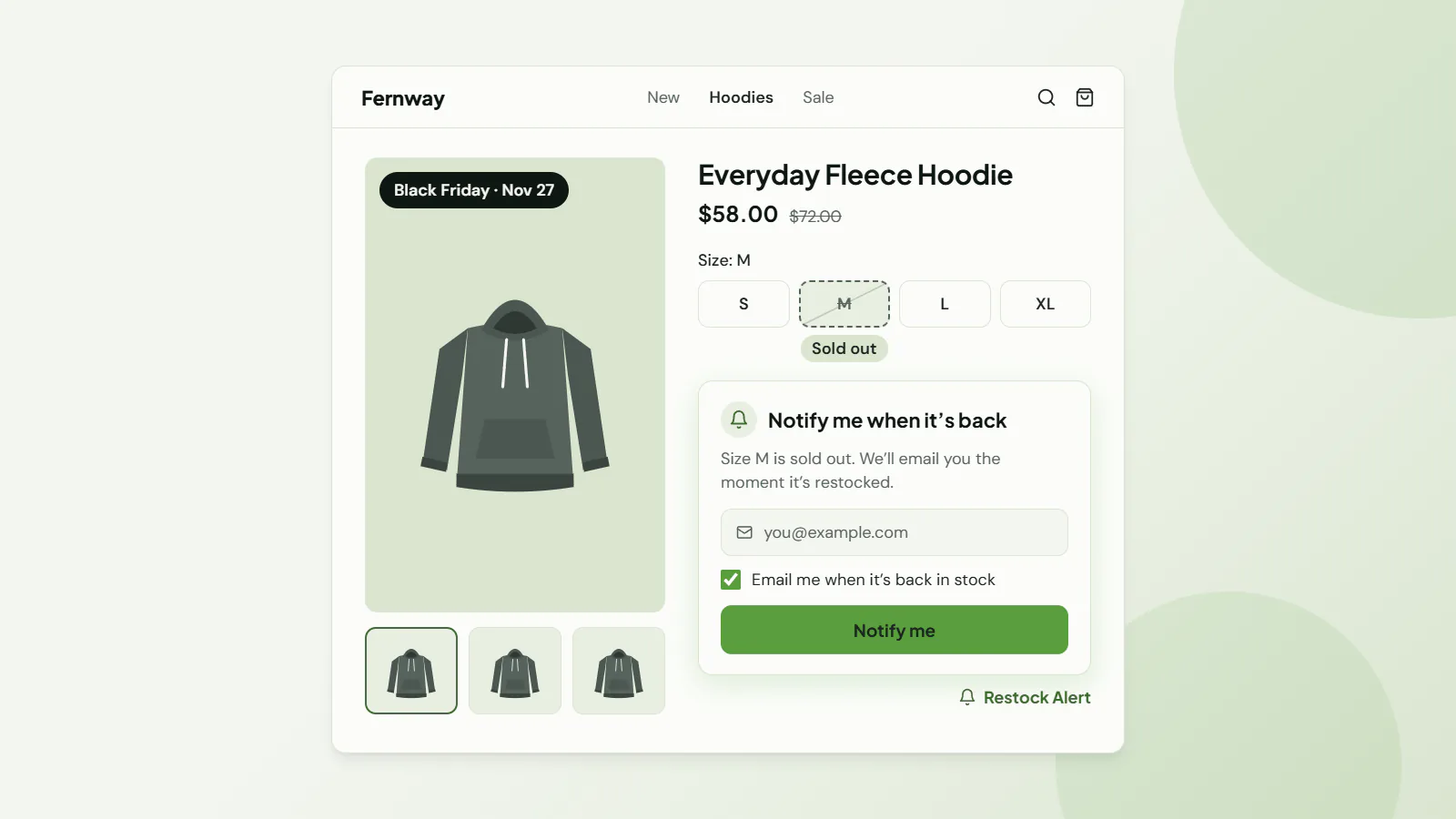
Replace the dead-end Sold out button with a short form: email address, a consent checkbox and a Notify me button. The form must work at variant level. A shopper who wants the medium in black does not want an alert when the large in white comes back.
2. Send the alert automatically the moment stock returns
Speed matters. Restocked inventory during a sale weekend can sell out again within hours, so the alert has to go out as soon as the variant becomes purchasable, not when someone remembers to export a list. Alerts triggered by Shopify inventory webhooks fire immediately with no polling delay.
3. Make the alert email do the selling
A good restock email shows the product image, the exact variant the shopper asked for and a single button that opens that variant on your store. It looks like your brand, not a generic notification. We break down what works in our back-in-stock email templates for BFCM.
4. Use the demand data to restock smarter
Your waitlist is the most honest demand forecast you will ever get. If 140 people are waiting for one variant and 3 for another, you know exactly where your next purchase order should go. Track your top requested products during the sale and share them with whoever places reorders.
Do it before Thanksgiving
Install and test your waitlist form before Thursday 26 November. Demand captured in the first hours of Black Friday is the demand you most need, and it is the hardest to get back later.
Do not forget the products that are still in stock
Stockouts are only half of the lost-sales story. Plenty of shoppers browse a product during Black Friday week, like it and leave because the price is not quite right, or because they expect a better deal on Cyber Monday. These watchers are not lost. They are waiting for a reason to buy.
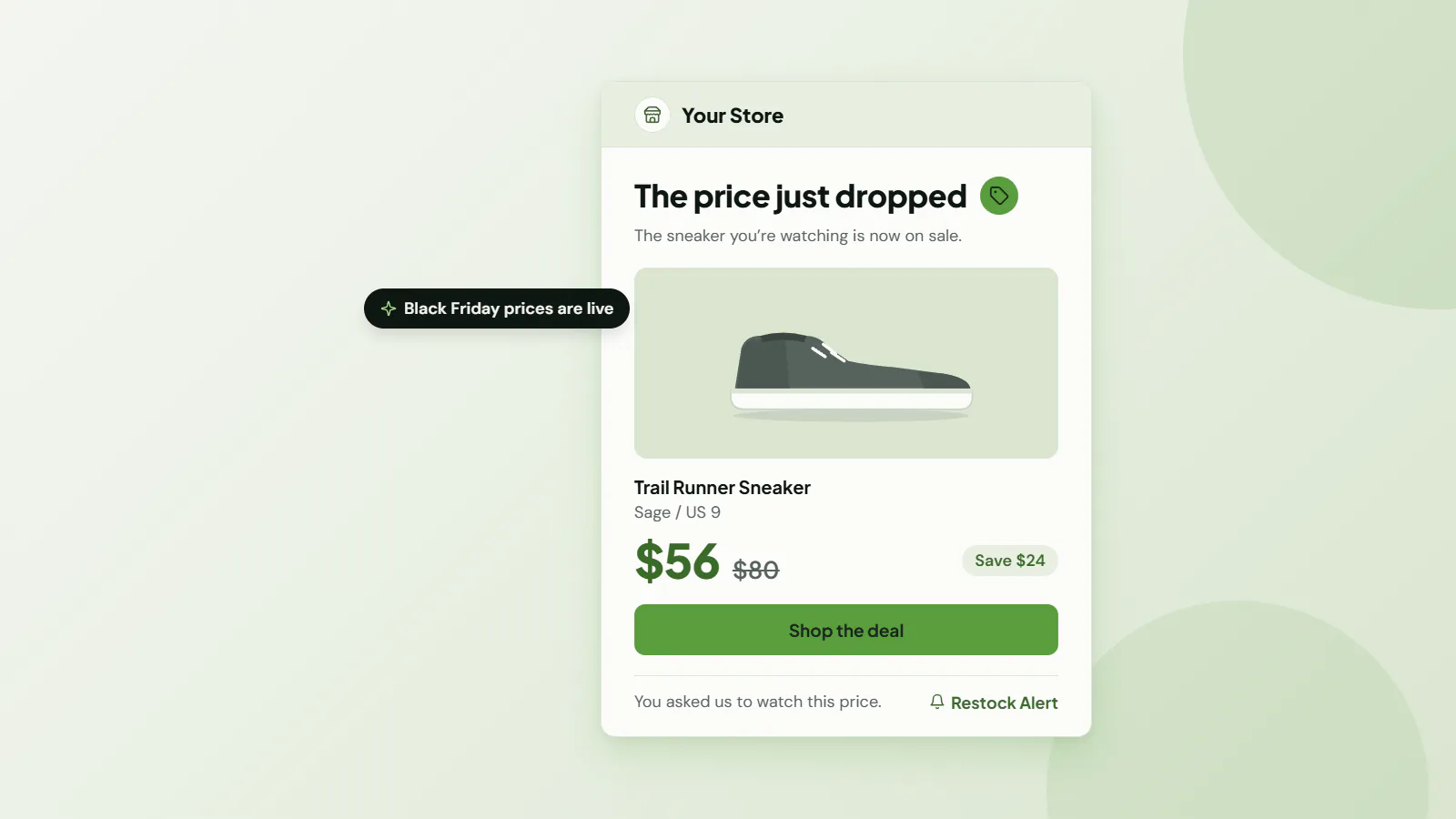
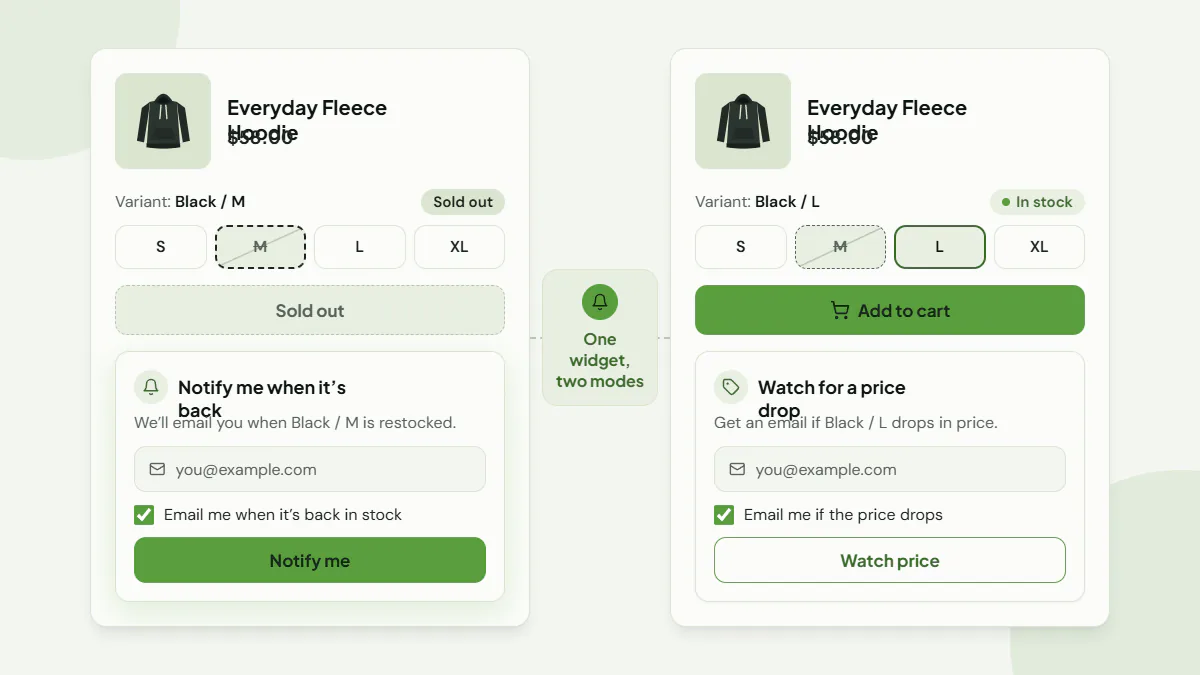
A price-drop alert gives them that reason. When the variant is in stock, the same widget offers a Watch for a price drop option. When you lower the price, every watcher gets an email showing the original price struck through next to the new one. We cover the full strategy in price-drop alerts for Black Friday.
How Restock Alert handles Black Friday stockouts
Restock Alert is the Shopify app we built at Store Buddies to close this gap. It is one theme app block that you drop onto your product template in the theme editor. Typical setup takes about five minutes and needs no code.
- Dual-mode widget. Shows the restock form for sold-out variants and the price-drop form for in-stock ones, switching automatically. You can turn the price-drop form off if you only want restock alerts.
- Variant-level alerts. Shoppers subscribe to the exact size, color or style they want. The email button opens that variant.
- Instant, webhook-driven sends. Alerts fire when a variant becomes purchasable, whether you add stock, stop tracking inventory or switch on Continue selling when out of stock.
- Branded emails. Your store name, logo, colors and footer, with separate wording for restock and price-drop emails.
- Demand analytics. See restock requests pending, price-drop watchers, alerts sent and your top 5 most-requested and most-watched products.
- Optional WhatsApp and SMS follow-up. Collect a phone number alongside the email, then reach high-value shoppers personally with one-tap WhatsApp and SMS links. Nothing is texted automatically.
- Consent-aware. A mandatory consent checkbox keeps signups compliance-ready, and the widget only appears on product pages.
| Plan | Price | Best for |
|---|---|---|
| Starter | Free | Up to 50 combined restock and price-drop alerts, no credit card |
| Pro | $4/month | Unlimited alerts for stores with ongoing alert volume |
| Elite | $15/month | Everything in Pro plus live chat, pending request reminders, CSV export and guided installation |
After the weekend: turn the waitlist into December revenue
BFCM does not end your selling season. It starts it. The waitlist you build over Black Friday weekend becomes a December sales channel the moment your restock lands.
- Prioritize reorders by waitlist size. Restock the variants with the most pending requests first.
- Restock in time for holiday shipping cutoffs. A restock alert that arrives after the last delivery date before the holidays converts far worse.
- Watch for forgotten requests. On Elite, pending request reminders email you a short list of shoppers still waiting, daily or every 7 days, so no one slips through.
- Follow up personally on high-value items. Use the WhatsApp and SMS links for big-ticket products where a personal message makes the difference.
Your five-minute pre-Black Friday checklist
- Install a back-in-stock app and add the widget to your product template.
- Place a test order to sell out one variant and confirm the form appears.
- Subscribe with your own email, restock the variant and confirm the alert arrives with the right product, variant and link.
- Brand the email with your logo, colors and a clear subject line.
- Decide whether to keep the price-drop form on for the sale.
- Bookmark your demand dashboard so you can check it during the weekend.
Want the full inventory side of the plan? Work through our Shopify BFCM inventory checklist. If you are still comparing apps, our back-in-stock app buyer's checklist covers what to look for.