The Shopify BFCM Inventory Checklist for 2026: 12 Steps Before Black Friday
Twelve practical steps to get your Shopify inventory ready for Black Friday and Cyber Monday, from forecasting best sellers to making sure no sold-out shopper leaves without a way back.
Key takeaways
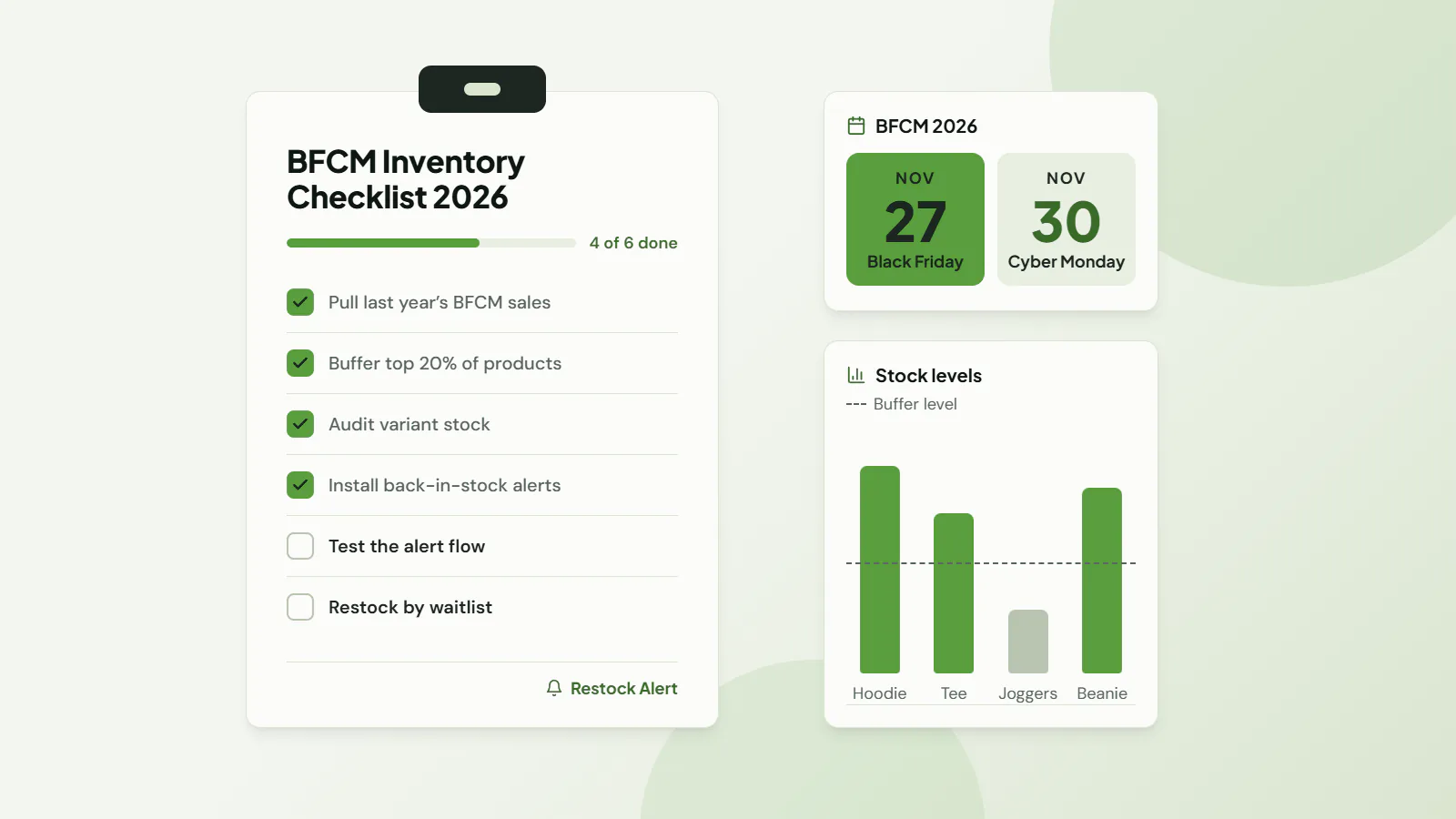
- Forecast from last year's BFCM data, then add a buffer for your top 20% of products.
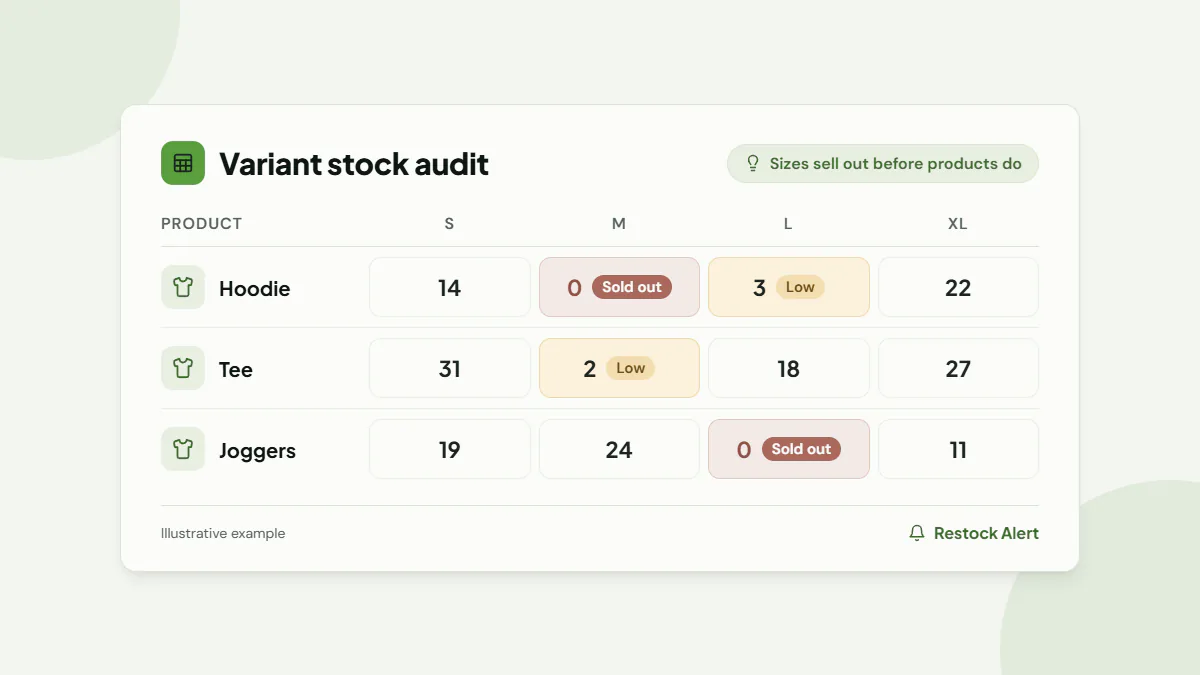
- Audit variant-level stock, not product-level stock. Sizes and colors sell out unevenly.
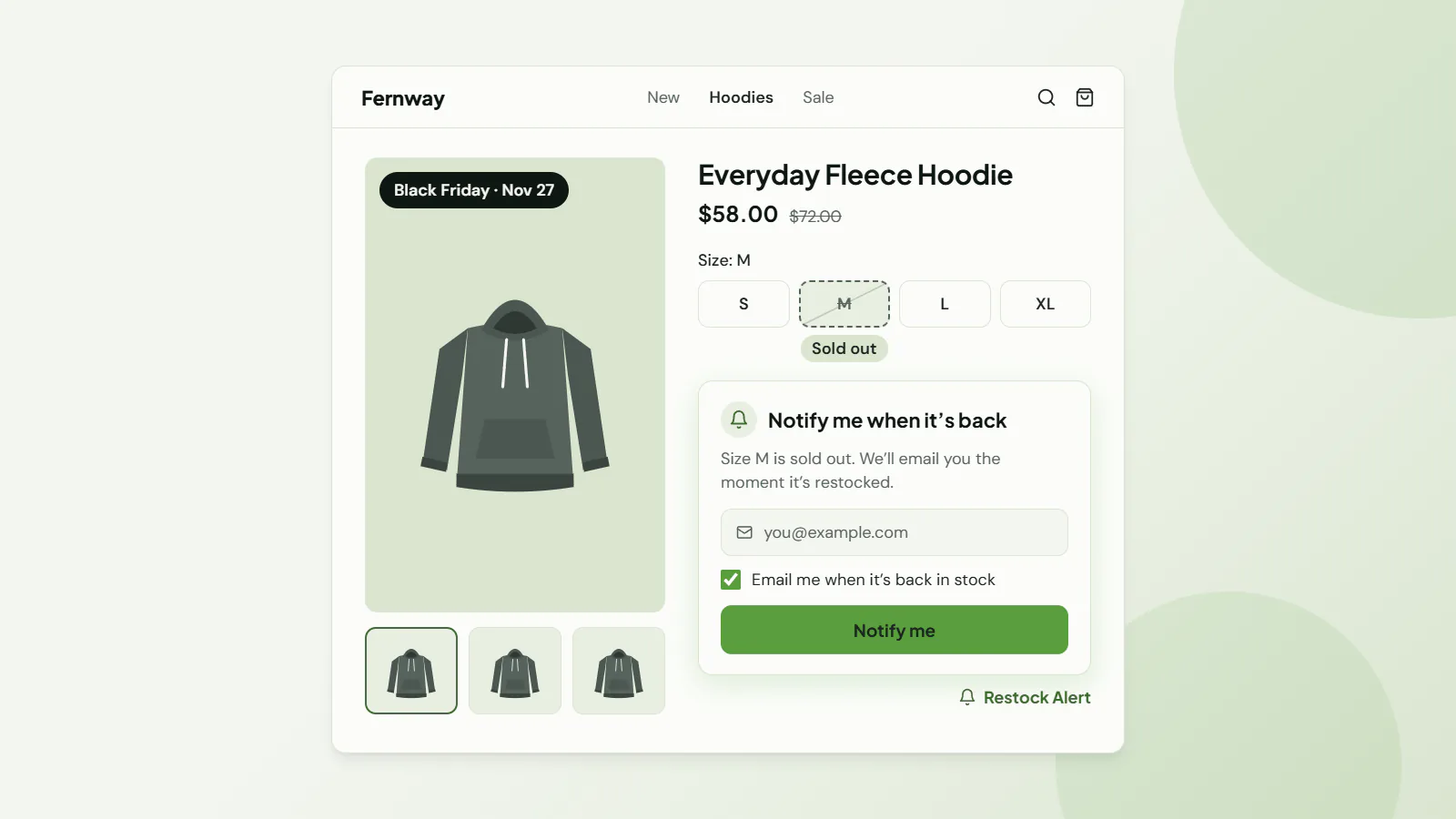
- Decide now what happens on a sold-out page: hide, preorder, or capture a waitlist.
- Install and test back-in-stock alerts before Thanksgiving (26 November 2026).
- Plan your restock windows around holiday shipping cutoffs, not just supplier lead times.
On this page
Black Friday 2026 is 27 November and Cyber Monday is 30 November. If you sell on Shopify, the next two weeks decide whether your best sellers carry the weekend or sell out on Friday morning and leave you paying for traffic that cannot convert.
This checklist focuses on inventory: what to stock, how to protect it and what to do when it runs out anyway. Work through it in order. Each step takes minutes, not days.
Phase 1: Forecast demand (2 weeks out)
1. Pull last year's BFCM sales by variant
In Shopify Analytics, run a Sales by product variant report for last year's Black Friday through Cyber Monday. Product-level totals hide the real problem: a hoodie that sold 400 units may have sold out in medium on day one while extra-large sat untouched.
2. Identify your top 20% and add a buffer
A small group of products usually drives most of your BFCM revenue. List them, compare last year's units sold to current stock, and add a safety buffer on top. If your supplier cannot deliver in time, mark those variants as high stockout risk. You will need step 9 for them.
3. Factor in this year's promotions
A deeper discount or a new ad channel changes demand. If you are running 30% off this year instead of 20%, or adding a TikTok campaign, adjust the forecast for the products you are promoting.
Phase 2: Protect your stock (1 week out)
4. Audit inventory accuracy
Count your top sellers physically and correct the numbers in Shopify. Overselling stock you do not have leads to cancelled orders and support tickets during your busiest week.
5. Check inventory tracking on every variant
Confirm Track quantity is on for products with limited stock, and decide deliberately where Continue selling when out of stock should be on. Leaving it on by accident turns a stockout into a backorder you did not plan for.
6. Set up low-stock visibility
Know which variants are running low before they hit zero. Shopify's inventory views can be filtered by available quantity. Save a view for your top products and check it a few times a day over the weekend.
7. Line up your restock plan with suppliers
Ask your suppliers now what they can deliver in the first two weeks of December. Agree on reorder quantities for your high-risk variants so you can trigger a purchase order the moment demand confirms it.
Shipping cutoffs matter more than lead times
A restock that arrives after your last holiday shipping date converts poorly. Work backward from the carriers' holiday cutoffs to set the latest date a restock is still worth chasing.
Phase 3: Plan for selling out (before Thanksgiving)
8. Decide what a sold-out page should do
You have three choices for a sold-out product during BFCM. Choose one per product, not one for the whole store.
| Option | When it fits | Downside |
|---|---|---|
| Hide the product | You will never restock it | Throws away all traffic to the page, including paid clicks |
| Take preorders | You have a confirmed delivery date | Takes payment now, so late stock means refunds and complaints |
| Capture a waitlist | You plan to restock but the date is uncertain | Needs an alert app, which takes minutes to set up |
9. Install back-in-stock alerts
For most products, the waitlist is the safest option. Shoppers leave their email on the sold-out variant and get an alert the moment it is purchasable again. Nothing is charged, nothing is promised, and you keep the demand. Restock Alert adds this with one theme app block and is free for the first 50 alerts.
10. Test the full flow end to end
- Set one test variant to zero stock.
- Open the product page, select that variant and confirm the signup form appears.
- Subscribe with your own email address.
- Add stock back to the variant.
- Confirm the alert arrives, shows the right variant, and the button opens that variant.
Phase 4: During and after the weekend
11. Watch demand, not just sales
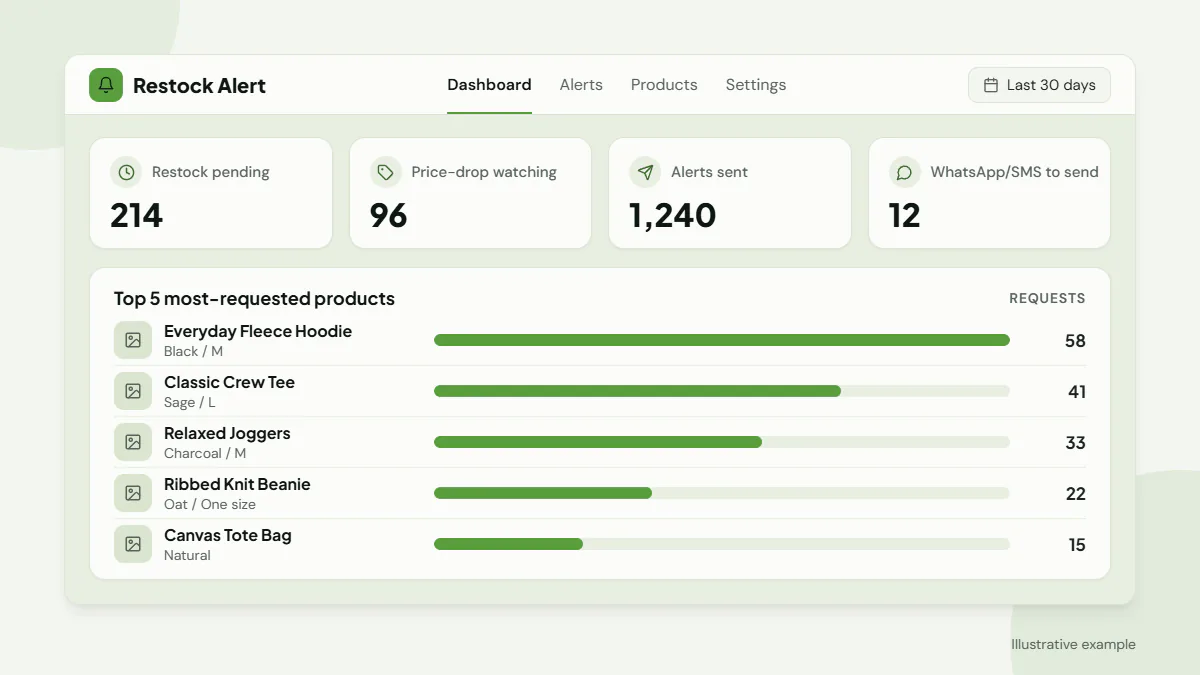
Sales reports tell you what sold. Your waitlist tells you what people wanted and could not buy. Check your most-requested products every few hours over the weekend. Those are your reorder priorities. In Restock Alert, the dashboard shows your top 5 most-requested and most-watched products.
12. Restock in waitlist order and let alerts do the selling
When stock arrives, restock the variants with the biggest waitlists first. With automatic alerts in place, every restock instantly turns into an email to shoppers who already said they want it. For high-value items, add a personal touch with a WhatsApp or SMS follow-up.
Printable summary
- Pull last year's BFCM sales by variant.
- List your top 20% of products and add a buffer.
- Adjust forecasts for this year's promotions.
- Physically count and correct top-seller stock.
- Check Track quantity and Continue selling settings.
- Save a low-stock view for top products.
- Agree December reorder quantities with suppliers.
- Choose hide, preorder or waitlist for each product.
- Install back-in-stock alerts.
- Test the full alert flow end to end.
- Monitor most-requested products during the sale.
- Restock in waitlist order.
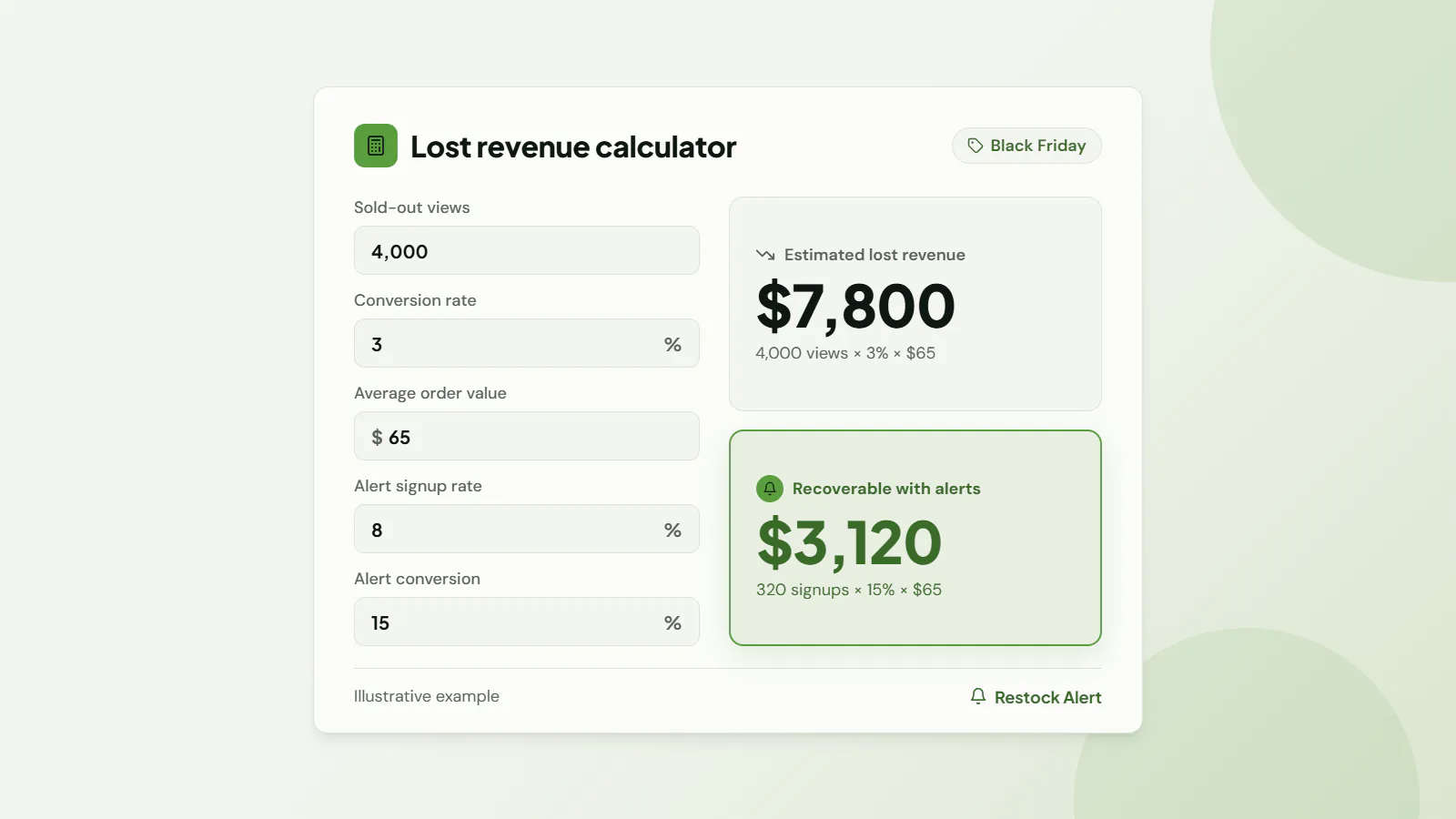
Want to understand the money at stake? Use our Black Friday lost revenue calculator. For the full recovery strategy, read how to recover Black Friday stockout sales. Need hands-on help preparing your store? Our Shopify maintenance team can audit it before the rush.